


Real Time Flight Tracker
0.00.00 Reviews
App Specs
- Version
- 1.2.1
- Updated On
- License
- Free
- Downloads
- 500,000+
- Developer
- Airport Flights Status™
- Categories
- Travel & Local
- Platform
- Android
Screenshots

 Analysis by AppCompare
Have you ever found yourself at the airport, clutching your boarding pass with one hand while frantically checking the flight status on your phone with the other? Well, Real Time Flight Tracker might just be your new favorite travel buddy. I recently took it for a spin, and let me tell you, it's like having a personal air traffic controller in your pocket.
Where flight tracking can get confusing
A flight tracker is most useful when it answers a practical question quickly: has the departure time changed, should someone leave for the airport, or is a connection becoming tight? I find that the main point of friction is not opening an app; it is knowing which information to trust when an airline message, an airport screen, and a tracker appear to disagree. I treat a tracker as a useful extra view, not as permission to ignore instructions from the airline or airport staff.
That distinction matters most during irregular travel. A scheduled time can remain visible while operations are changing, and a displayed gate or terminal may not be the final word. Before acting on a change, I check the flight details again and compare them with the airport’s own signs or the airline’s communication. That quick cross-check is more useful than repeatedly refreshing several screens without a plan.
Getting Started with Real Time Flight Tracker
First things first, setting up Real Time Flight Tracker is a breeze. Once you download it from the app store, you're greeted with a clean interface that's easy on the eyes. The app doesn't bombard you with ads, which is a huge plus when you're trying to get important flight info.
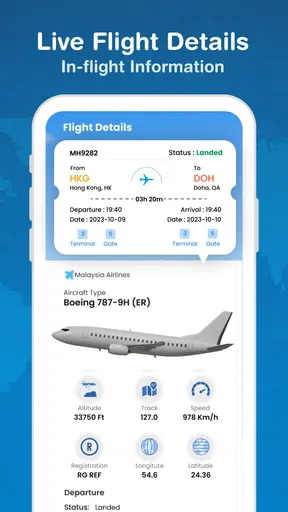
Enter your flight number or search by route, and voilà, you’re in business. The app pulls up a comprehensive overview of your flight, including departure and arrival times, terminal info, and even gate numbers. For someone like me who tends to lose track of time, having everything in one place is a lifesaver.
Setup checks that prevent avoidable frustration
When I look up a flight, I make sure I have the correct flight number and travel date to hand. Routes can have multiple services, and a mistaken character or an old booking detail can lead to the wrong result. If searching by route, I check both airports rather than relying on a city name alone, especially when a city has more than one airport.
I also distinguish between a flight’s planned schedule and its live progress. A departure time tells me what the airline intends; a status update helps me decide whether anything has changed. Before leaving home, I check the tracker and the airline’s own trip information, then check again closer to departure if timing is important. This avoids treating an early status as a guarantee for the rest of the day.
Worth Reading Before You Choose

Flipboard Shows What News Apps Must Do Beyond the Feed

Switching to Android Auto Means Rethinking Your Driving Routine

Google Calendar Makes a Crowded Week Easier to Manage

Ludo King Makes the Most of the Minutes Between Plans

Baby Panda World Brings Quick Play to Modern Phones, but Its Game Library Feels Busy

ESPN’s Live Game View Makes Following Close Games Easier
The app is free to download, and its listed in-app purchases range from $9.99 to $49.99 per item, so I would check what an optional purchase covers before paying. I would begin with the free experience and see whether it handles my usual travel needs. The app is rated for Everyone, and version 1.2.0 is listed for devices running Android 7.0 or later. It is a travel and local app from Airport Flights Status™ with over 100,000 installs, a scale that suggests an established audience without telling me whether it suits every traveler.
Features that Stand Out
The real magic of this app lies in its real-time updates. You get notifications about gate changes, delays, and even baggage claim info. I was on a layover recently, and the app pinged me about a gate change before it was announced over the intercom. Talk about being ahead of the game!
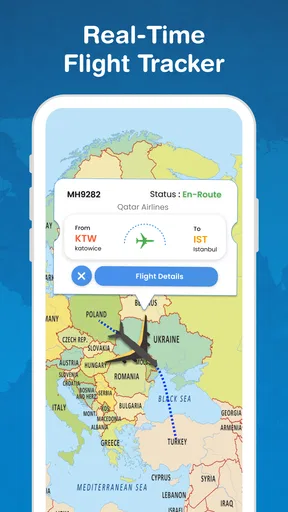
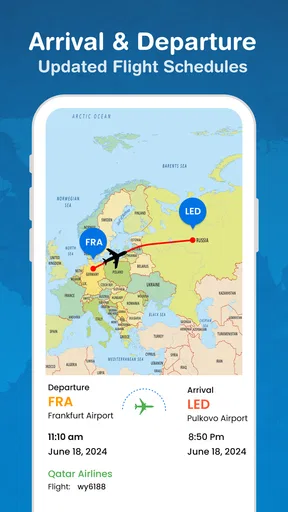
Another feature I love is the interactive map. You can watch your flight progress on a map, which is oddly satisfying. It's like being able to peek into the cockpit and see where exactly you are in the world. Plus, if you're a travel geek like me, you'll appreciate the flight path details and altitude information.
A useful workflow for travelers and the people meeting them
For a realistic everyday use, imagine I am picking up a family member after work. I search for their flight before leaving, then use its status to decide whether to set off immediately or wait at home. If the timing changes, I can check again before making the drive rather than relying on the original arrival time in an old message. Once they land, the airport’s signs and their own update still matter for the final pickup arrangement.
For a connection, I use a tracker to keep an eye on the incoming flight and to notice whether the day is going off schedule. I would not use a map or estimated arrival alone to decide that a short connection is safe: walking distance, terminal transfers, queues, and boarding cutoffs are separate issues. The helpful approach is to use flight status as an early warning, then follow the airline’s directions about rebooking or assistance if the connection is at risk.
Travelers following several flights can make their checks more deliberate by writing down the flight numbers and dates before searching. That is a simple safeguard against mixing up a relative’s return flight with an outbound leg. If I am sharing an update, I send the information that helps the other person act—such as the current status and expected arrival—rather than assuming a shared screen replaces direct communication.
Seamless User Experience
One of the things that impressed me most about the app is how seamlessly it integrates with other services. You can sync it with your calendar, which is fantastic for keeping track of multiple flights. Also, if you’re traveling with friends or family, you can share your flight status directly from the app. No more group texts trying to keep everyone updated!
The app also supports multiple languages, making it super accessible, no matter where you're flying from or to. It's that kind of thoughtful touch that makes this app a must-have for frequent flyers.
How it fits beside airline and airport apps
Compared with checking each airline separately, a dedicated tracker can be convenient when I need a quick overview or am following someone else’s journey. The airline remains the better place to manage the booking itself, receive instructions tied to a ticket, or deal with changes that require action. Airport information is especially useful for what is happening inside the terminal, where local signage and staff provide context a flight-status screen cannot replace.
That makes this app most appealing to people who want a single place to follow flight movement, including family members waiting for arrivals or travelers who enjoy watching a route on a map. It is less compelling if I only take an occasional flight and already get everything I need from an airline’s own app. I would also avoid relying on any third-party tracker as my only source when a missed update could mean missing boarding or making a costly ground-transport decision.
Staying Informed, Stress-Free
While the app is robust, it's also intuitive. You don’t need to be a tech wizard to navigate it. The developers have done a great job of balancing functionality with simplicity, ensuring you get all the info you need without unnecessary complexity.
And let's not forget about the weather updates. Knowing the weather conditions at your destination can help you pack appropriately and manage your expectations about potential delays. It's these little details that elevate the app from a standard flight tracker to an essential travel companion.
Recovering when a search or update does not help
If a flight does not appear as expected, I first check the flight number, date, and airports rather than repeatedly entering the same query. I then try the route search if I started with a number, or the flight number if I began with a route. If the flight is already underway, I check whether I am looking at the correct direction of travel and the correct leg of a journey with a connection.
If the app seems slow to reflect a change, I avoid making a high-stakes decision from a single screen. I check the airline’s current message and airport displays, then revisit the tracker. A phone’s connection can also affect how promptly any online service refreshes, so checking that the device can access the internet is a sensible basic step. These checks do not guarantee a particular update; they simply help separate a search mistake or connectivity issue from a genuine change in flight operations.
Notifications are helpful when I can glance at my phone, but I do not treat them as a substitute for checking the flight at key moments. If I am in a noisy terminal, have a low battery, or am concentrating on a connection, I keep an eye on airport announcements and screens too. For an important pickup, I send the person meeting me a direct message if the plan changes instead of assuming they have seen an app notification.
When the app is not the cause
A delay or a gate change can be frustrating, but a tracker does not create or resolve the underlying airline decision. Weather, airport operations, and other travel conditions can affect a journey, while a tracker’s role is to help me follow information about it. If a booking needs changing, I contact the airline through its official channels; if I need directions inside the terminal, I follow airport signs or ask staff.
Likewise, an estimated arrival does not determine when passengers can leave the aircraft or reach baggage reclaim. I leave a little flexibility in pickup plans and wait for the traveler to confirm where they are. That is a practical trade-off: the app can reduce uncertainty about a flight’s progress, but it cannot remove the unpredictable parts of airport travel.
Who will get the most from it
I see the strongest fit for frequent flyers who want a quick status check, people meeting arrivals, and travel-minded users who enjoy seeing a route’s progress. It can also help someone coordinating several trips, provided they keep flight details organized and verify important changes through the airline or airport. The map and flight-path view add something for curious travelers beyond a simple arrival-time check.
On the other hand, a traveler who wants booking management, boarding documents, or airline-specific customer support should keep the airline’s app close at hand. Someone who dislikes having another travel app or who only needs occasional schedule checks may prefer airport screens and direct airline updates. I would not choose a tracker as the sole authority for a tight connection, a last-minute gate decision, or a disruption that requires rebooking.
Wrapping It Up
In conclusion, Real Time Flight Tracker is more than just an app; it’s a travel necessity. Whether you're a frequent flyer or an occasional traveler, having up-to-date flight information at your fingertips can make all the difference in ensuring a smooth journey. It's user-friendly, feature-packed, and simply put, it works.
So next time you're gearing up for a trip, give Real Time Flight Tracker a try. You might just find that it takes a lot of the stress out of flying, allowing you to focus on the excitement of your destination instead. Safe travels!
My practical verdict
I would use it as a convenient companion for monitoring flights, especially when I am coordinating a pickup or want to follow progress on a map. My best tip is to check the right flight details first, use the tracker to spot changes, and confirm consequential decisions with the airline or airport. That balance lets the app do what it is useful for without asking it to replace the sources responsible for a booking or the information on the ground.
Pros
- Comprehensive flight data coverage.
- User-friendly interface with clear navigation.
- Real-time updates and notifications.
- Customizable alerts for specific flights.
- Accurate airport and terminal info.
Cons
- Frequent ads in the free version.
- Limited offline functionality.
- Some features require premium access.
- Occasional slow loading times.
- High battery usage when active.
FAQs for Real Time Flight Tracker
How accurate is the real-time flight tracking information?
Real-time flight tracking apps use data from various sources such as airlines, airports, and aviation databases. While they strive to provide the most accurate and up-to-date information, there can be discrepancies due to delays in data transmission or updates. Always confirm critical flight information directly with the airline.
Does the app support international flights?
Yes, most real-time flight tracker apps support both domestic and international flights. They typically cover major airlines and airports worldwide, allowing you to track flights regardless of their origin or destination. However, coverage may vary, so it’s advisable to check the app’s specific capabilities before use.
What features are included in the free version of the app?
The free version of a real-time flight tracker app usually includes basic features such as live flight status, departure and arrival times, and basic airport information. Advanced features like historical data, terminal maps, and ad-free experience may require a paid subscription or in-app purchases.
Can I receive notifications about changes in flight status?
Yes, most flight tracker apps offer real-time notifications for changes in flight status, gate assignments, delays, and cancellations. You can typically customize these alerts to receive updates for specific flights you are interested in, ensuring you stay informed during your travels.
Is an internet connection required to use the app?
Yes, an internet connection is essential for accessing real-time data on flight status and updates. While some information may be cached for offline viewing, the app requires connectivity to provide accurate and current flight information. Ensure you have a stable internet connection when using the app for best results.


